
mac
On My Zsh
mac终端优化程序,需要git
sh -c "$(curl -fsSL https://install.ohmyz.sh/)"jdk
下载地址(适配m1芯片)
点击下载文件-双击图案-直接安装
查看版本:java -version
subline
网上找的破解版+中文(在云盘)
破解教程+汉化+安装插件:http://www.ddooo.com/softdown/94981.htm
注意:
mac返回上一级:command+↑
安装插件:command+shift+p
maven
官网地址
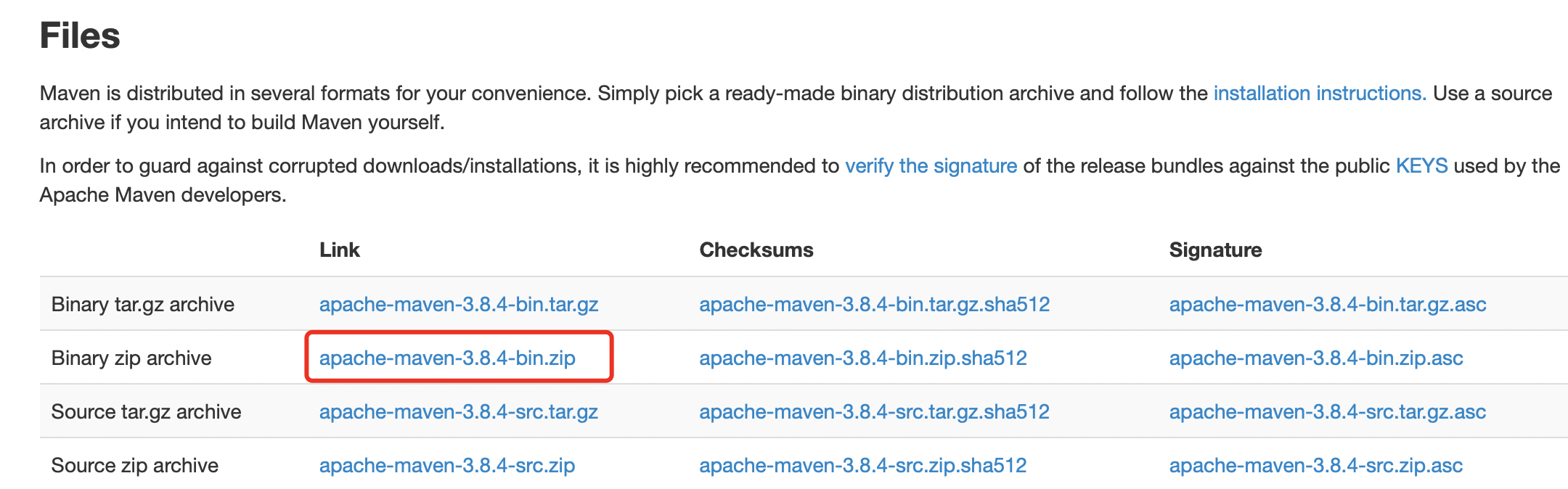
设置环境变量
我配在用户级环境文件设置
vim ~/.bash_profile
properties
export LC_ALL=en_US.UTF-8

export LANG=en_US.UTF-8


export MAVEN_HOME=/Users/liuchenyun/dev/devtool/apache-maven-3.8.4

export PATH=$PATH:$MAVEN_HOME/bin
因为配置的用户级系统变量,每次登陆时读取环境变量,所以这次手动更新,以后不需要
properties
source ~/.bash_profile
配置setting.xml
跟wins中一样,但setting标签的约束版本不同,仔细对比,copy过来
配置本地仓库
xml
<localRepository>\Users\liuchenyun\dev\devtool\mavenRepository</localRepository>配置仓库镜像
xml
  <!-- 外网 -->
<mirror>
<id>nexus-aliyun</id>
<mirrorOf>*</mirrorOf>
<name>Nexus aliyun</name>
<url>http://maven.aliyun.com/nexus/content/groups/public</url>
</mirror>

<!-- 内网 -->
<mirror>
    <id>ispeco-snapshots</id>
    <mirrorOf>*</mirrorOf>
    <name>Repository for ispeco</name>
    <url>http://maven.ispeco.com/maven</url>
</mirror>
homebrew
是一款下载工具
/bin/bash -c "$(curl -fsSL https://raw.githubusercontent.com/Homebrew/install/HEAD/install.sh)"curl: (7) Failed to connect to raw.githubusercontent.com port 443: Connection refused
下载pkg安装
git
需要先安装homebrew
执行命令
brew install git安装成功
git初始设置
设置用户名和邮箱
git config --global user.name "liuchenyun"
git config --global user.email "1210737588@qq.com"
查看用户名和邮箱
git config user.name
git config user.email
创建密钥,给github用
ssh-keygen -t rsa -C "1210737588.com"    一直按回车
我的密钥存放路径
Your identification has been saved in /Users/liuchenyun/.ssh/id_rsa
Your public key has been saved in /Users/liuchenyun/.ssh/id_rsa.pub
node
https://nodejs.org/en/download/

官网下载安装包
gitbook v12.16.3
https://nodejs.org/download/release/v12.16.3/
执行以下命令查看是否安装成功
node -v:查看node版本
npm -v:查看npm版本vscode
https://code.visualstudio.com/docs/?dv=osx

官网下载安装包
无需解压,双击打开
删除软件
- 启动台删除软件:打开启动台,长按要删除的软件图标直到图标开始抖动,然后点击左上角的删除按钮进行卸载。对于从App Store下载的软件,这种方法适用
- 通过Finder删除软件:点击程序坞中的“访达”图标,然后选择边栏中的“应用程序”。在应用程序文件夹中找到要卸载的软件,将其拖到废纸篓中释放