
私服
启动
nexus.exe /run

第一次出错后需重新解压再次安装
初始配置
初次登录
账号admin,密码为E:\devtools\nexus-3.63.0-01-win64\sonatype-work\nexus3\admin.password(查找该路径下)
然后重置初始密码

选择不匿名登录:Disable anonymous access
拉取依赖
修改本地maven的setting.xml配置
   <mirror>
      <id>nexus-mine</id>
      <mirrorOf>central</mirrorOf>
      <name>nexus mine</name>
      <url>http://localhost:8081/repository/maven-public</url>
    </mirror>


   <server>
      <id>nexus-mine</id>
      <username>admin</username>
      <password>admin</password>
   </server>

 镜像仓库地址设置私服地址并设置用户名密码
私服修改远程仓库
修改Repositories的maven-central下


https://repo1.maven.org/maven2/ =>

https://maven.aliyun.com/repository/public
部署依赖
上传依赖
maven项目pom.xml设置
<distributionManagement>
        <snapshotRepository>
            <name>nexus snapshots</name>
            <id>nexus-mine</id>
            <url>http://localhost:8081/repository/maven-snapshots</url>
        </snapshotRepository>
    </distributionManagement>
后面使用clean deploy 才能把依赖部署到私服上
本地jar上传
只能上传到maven-releases和另一个
手动上传
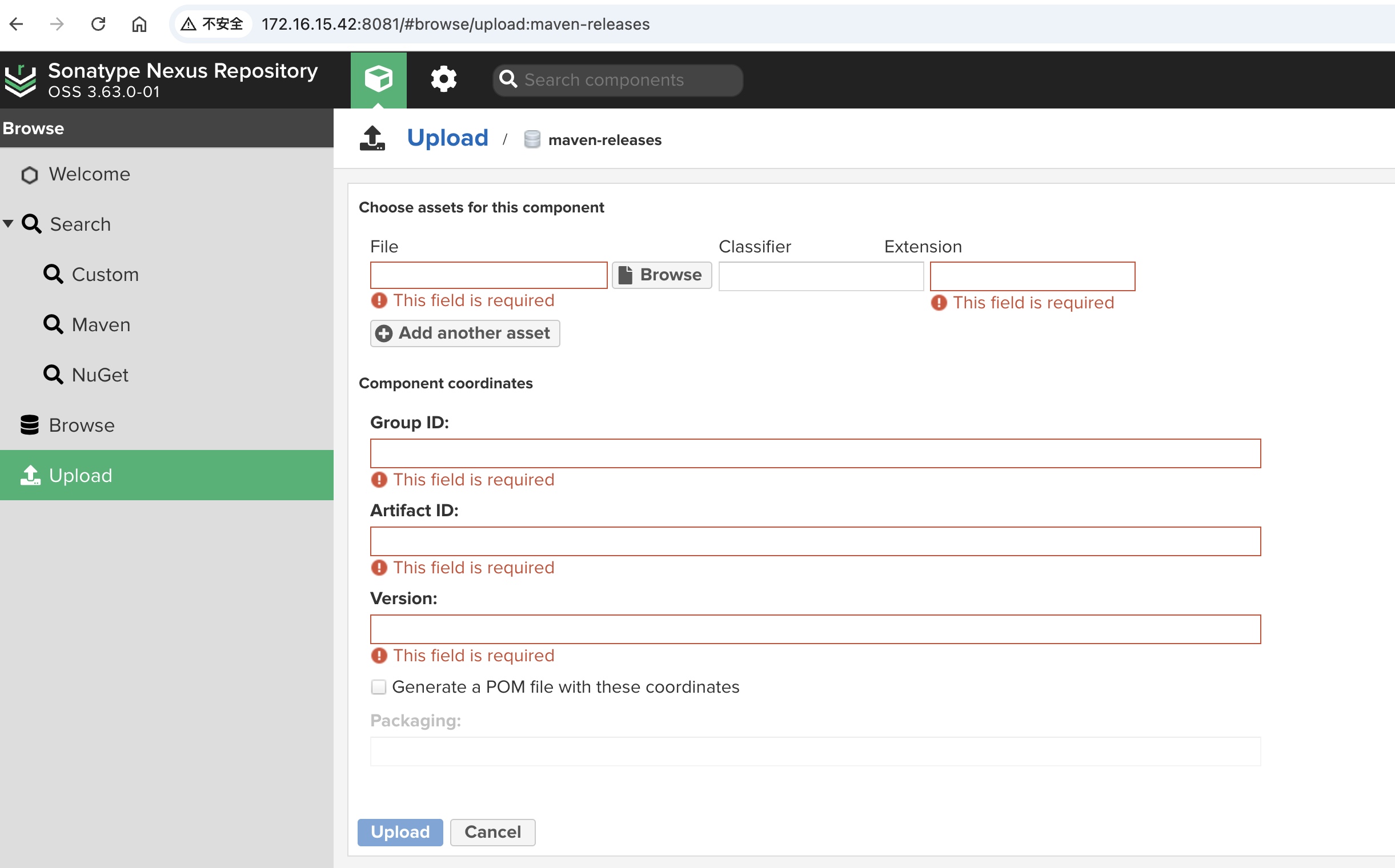
命令上传
mvn deploy:deploy-file -DgroupId=com.oracle -DartifactId=ojdbc6 -Dversion=10.2.0.1.0 -Dpackaging=jar -Dfile=D:\\ojdbc6.jar -Durl=http://ip:8081/repository/maven-releases/ -DrepositoryId=nexus批量脚本上传
批量脚本:mavenimport.sh
#!/bin/bash
# copy and run this script to the root of the repository directory containing files
# this script attempts to exclude uploading itself explicitly so the script name is important
# Get command line params

while getopts ":r:u:p:" opt; do
    case $opt in
        r) REPO_URL="$OPTARG"
        ;;
        u) USERNAME="$OPTARG"
        ;;
        p) PASSWORD="$OPTARG"
        ;;
    esac
done

find . -type f -not -path './mavenimport\.sh*' -not -path '*/\.*' -not -path '*/\^archetype\-catalog\.xml*' -not -path '*/\^maven\-metadata\-local*\.xml' -not -path '*/\^maven\-metadata\-deployment*\.xml' | sed "s|^\./||" | xargs -I '{}' curl -u "$USERNAME:$PASSWORD" -X PUT -v -T {} ${REPO_URL}/{} ;
放入本地仓库第一层目录,执行:
chmod a+x mavenimport.sh

./mavenimport.sh -u admin -p admin -r http://ip:8081/repository/maven-releases/