
1.1安装confluence
confluence服务端
pvc
kind: PersistentVolumeClaim
apiVersion: v1
metadata:
  name: confluence-server-data-new
  namespace: devops
spec:
  accessModes:
    - ReadWriteMany
  resources:
    requests:
      storage: 10Gi
  storageClassName: basic-services
service
kind: Service
apiVersion: v1
metadata:
  name: confluence-server-service-new
  namespace: devops
  labels:
    name: confluence-server-service-new
spec:
  ports:
    - protocol: TCP
      port: 8090
      targetPort: 8090
      nodePort: 30679
  selector:
    app: confluence-server-new
  type: NodePort
deployment
kind: Deployment
apiVersion: apps/v1
metadata:
  name: confluence-server-new
  namespace: devops
  labels:
    app: confluence-server-new
spec:
  replicas: 1
  selector:
    matchLabels:
      app: confluence-server-new
  template:
    metadata:
      labels:
        app: confluence-server-new
    spec:
      volumes:
        - name: confluence-data-new
          persistentVolumeClaim:
            claimName: confluence-server-data-new
      containers:
        - name: confluence-server-new
          image: registry.cn-chengdu.aliyuncs.com/liuchenyun/confluence-server:8.5.0-supermap
          ports:
            - containerPort: 8090
              protocol: TCP
          env:
            - name: TZ
              value: Asia/Shanghai
            - name: CATALINA_OPTS
              value: '-Xms1024m -Xmx2048m'
          volumeMounts:
            - name: confluence-data-new
              mountPath: /var/atlassian/application-data/confluence
          imagePullPolicy: IfNotPresent
      restartPolicy: Always
      imagePullSecrets:
        - name: dockercfg-liuchenyun
confluence的pg数据库
pvc
kind: PersistentVolumeClaim
apiVersion: v1
metadata:
  name: confluence-pg-data-new
  namespace: devops
spec:
  accessModes:
    - ReadWriteMany
  resources:
    requests:
      storage: 10Gi
  storageClassName: basic-services
service
kind: Service
apiVersion: v1
metadata:
  name: confluence-database-service-new
  namespace: devops
  labels:
    name: confluence-database-service-new
spec:
  ports:
    - protocol: TCP
      port: 5432
      targetPort: 5432
      nodePort: 30837
  selector:
    app: confluence-database-new
  type: NodePort
deployment
kind: Deployment
apiVersion: apps/v1
metadata:
  name: confluence-database-new
  namespace: devops
  labels:
    app: confluence-database-new
spec:
  replicas: 1
  selector:
    matchLabels:
      app: confluence-database-new
  template:
    metadata:
      labels:
        app: confluence-database-new
    spec:
      volumes:
        - name: postgres-data
          persistentVolumeClaim:
            claimName: confluence-pg-data-new
      containers:
        - name: confluence-database
          image: registry.cn-chengdu.aliyuncs.com/liuchenyun/postgres:12
          ports:
            - containerPort: 5432
              protocol: TCP
          env:
            - name: POSTGRES_ROOT_PASSWORD
              value: confluence
            - name: POSTGRES_PASSWORD
              value: confluence
            - name: POSTGRES_USER
              value: confluence
            - name: POSTGRES_DB
              value: confluence
            - name: POSTGRES_INITDB_ARGS
              value: '--encoding=UTF8'
            - name: TZ
              value: Asia/Shanghai
          resources:
            requests:
              cpu: 20m
              memory: 400Mi
          volumeMounts:
            - name: postgres-data
              mountPath: /var/lib/postgresql/data
          livenessProbe:
            tcpSocket:
              port: 5432
            initialDelaySeconds: 60
            timeoutSeconds: 20
            periodSeconds: 30
            successThreshold: 1
            failureThreshold: 5
          readinessProbe:
            tcpSocket:
              port: 5432
            initialDelaySeconds: 30
            timeoutSeconds: 20
            periodSeconds: 30
            successThreshold: 1
            failureThreshold: 5
          imagePullPolicy: IfNotPresent
      restartPolicy: Always
      imagePullSecrets:
        - name: dockercfg-liuchenyun
破解
旧版参考资料:https://www.jianshu.com/p/2dc37ba92570
新版:https://github.com/haxqer/confluence/blob/master/README_zh.md
第一次启动后需要密钥key
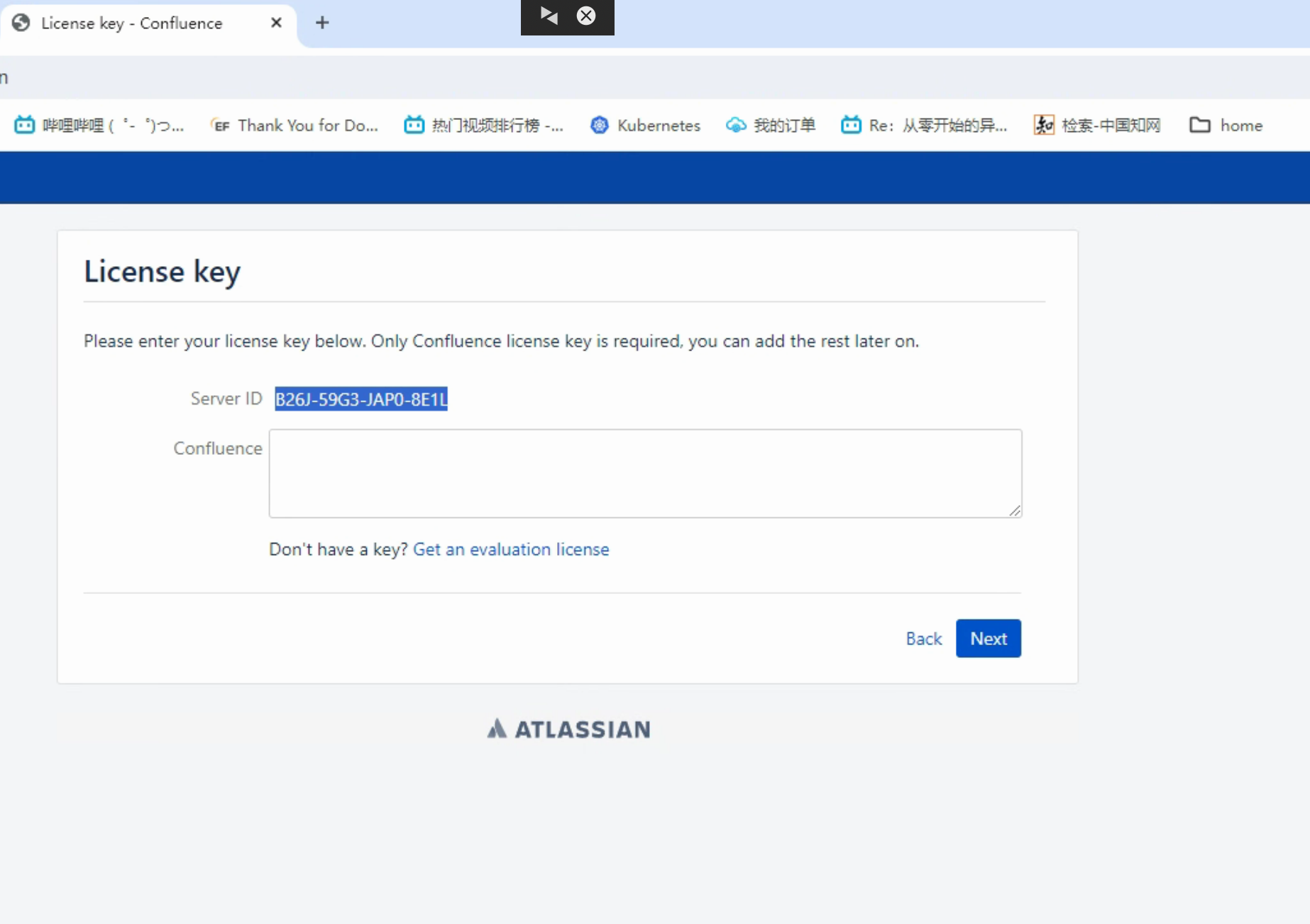
该镜像是已fix的镜像,省略了网上资料中替换jar的流程,只需用破解工具生成key即可,注意Server ID是上面第一次网页上生成的
进入容器:
java -jar /var/agent/atlassian-agent.jar -d -p conf  -m Hello@world.com  -n Hello@world.com  -o your-org  -s BDJG-52NA-41TN-PORK
设置pg
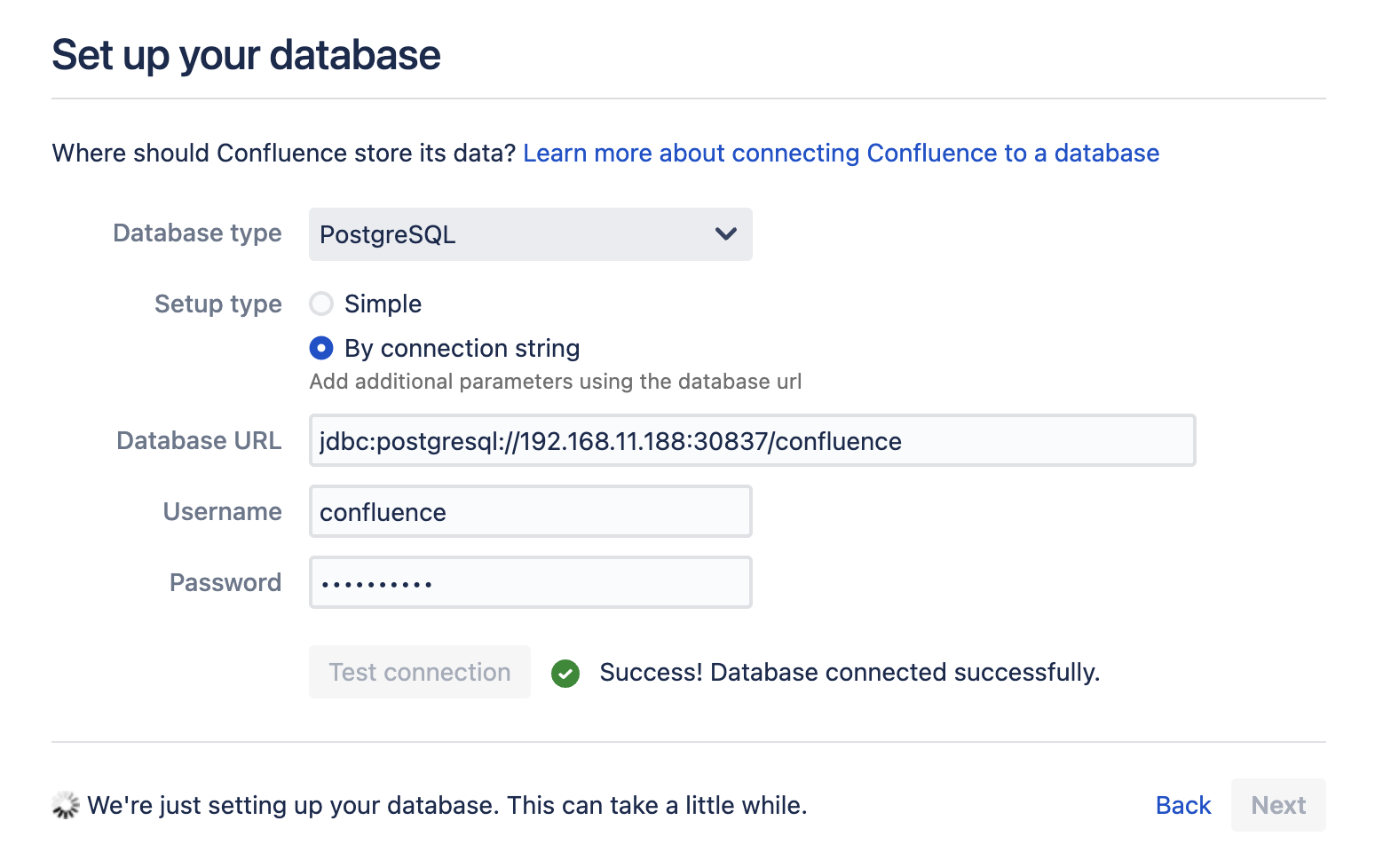
下一步选择:Empty Site -> Manage Users and Groups within Confluence
备份
管理员登录-管理页(一般配置)
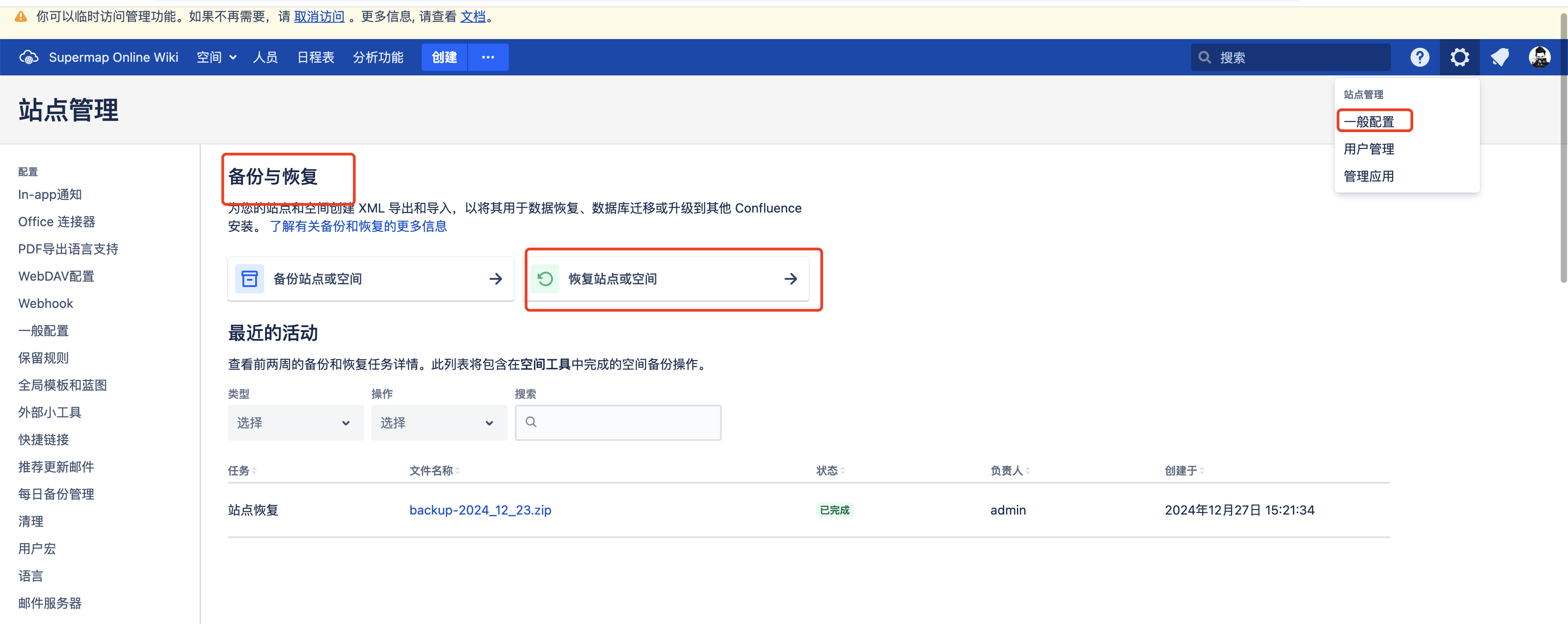
在外挂的nas目录中自己创建restore/site。把旧的备份文件复制进来

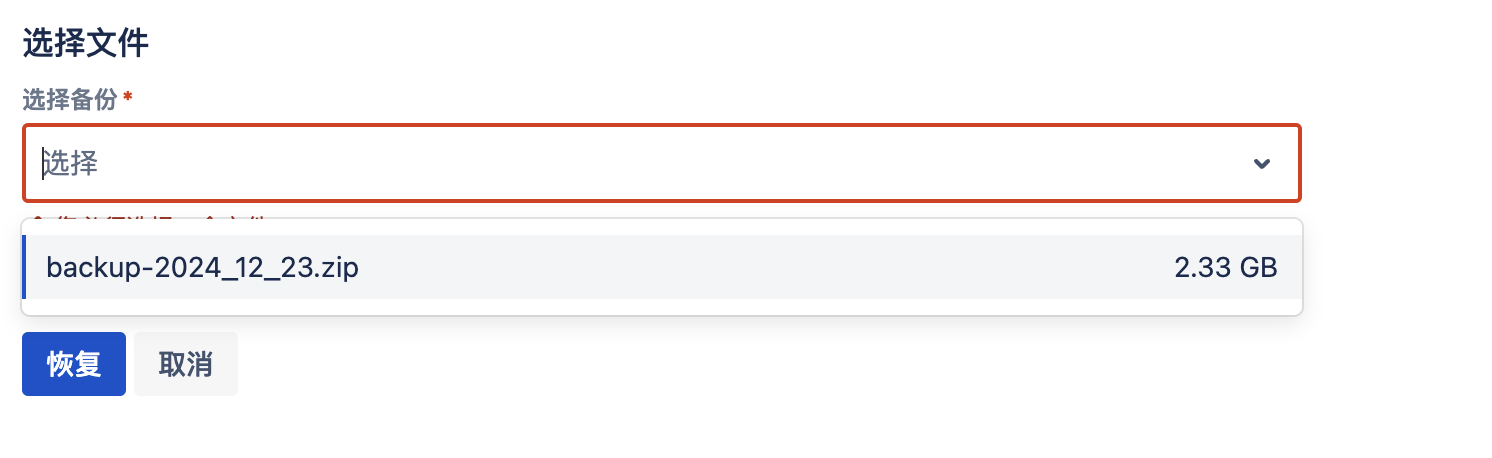
只需等待备份恢复成功
插件


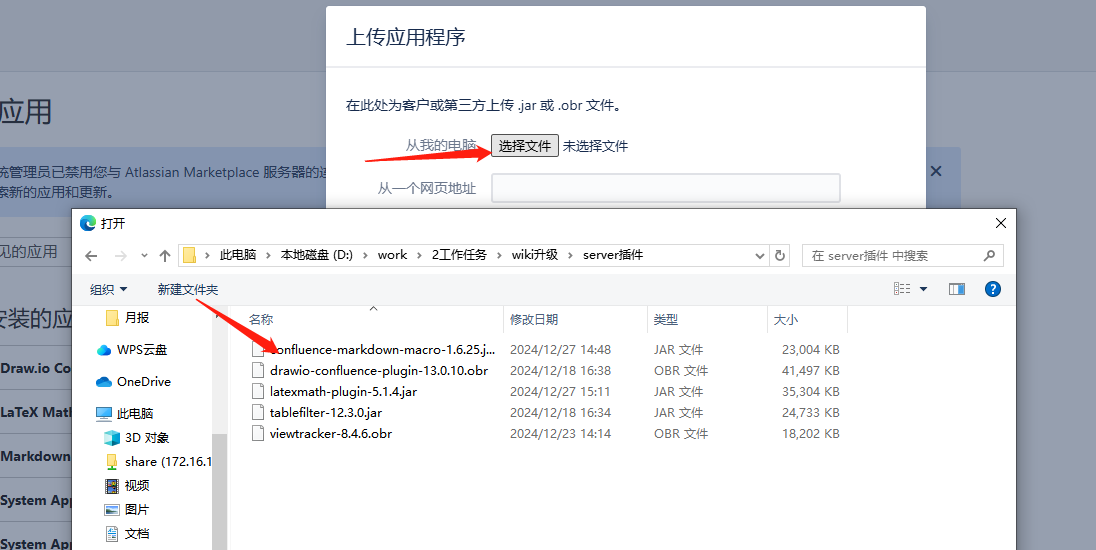
插件也需要破解,进入容器执行命令

java -jar /var/agent/atlassian-agent.jar \
-d \
-p 应用密钥 \
-m Hello@world.com \
-n Hello@world.com \
-o your-org \
-s 服务器ID

我的
java -jar /var/agent/atlassian-agent.jar \
-d \
-p com.mxgraph.confluence.plugins.diagramly \
-m Hello@world.com \
-n Hello@world.com \
-o your-org \
-s BXLD-ZBOK-MAY8-O1DM
https://marketplace.atlassian.com/search?query=powerpoint&product=confluence这个是找插件的网站
可以输入”{“加上插件名称的前几位,可以直接插入错误
在公司的测试机上2025/06/03突然备份权限不够,nas授权所有人
